0 0
0
No products in the cart.

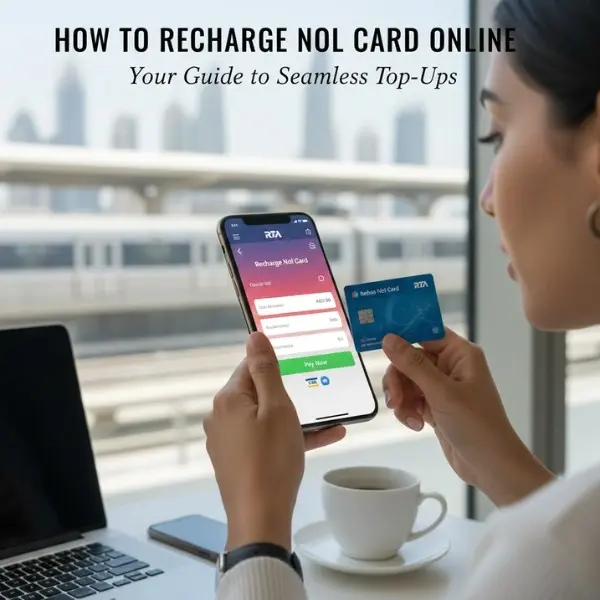
How to Recharge nol Card Online (Complete 2025 Guide)

Nov 21, 2025 / By / in Commercial

Quick Summary, The Easiest Ways to Recharge Your nol Card Online

  1. Top up via the RTA website (enter tag ID + pay). 
  2. Use the nol Pay (official RTA) mobile app, NFC tap or virtual card top-up. 
  3. Top up via the RTA Dubai app / s’hail / Mahboub chatbot (where supported).  
  4. Enable auto top-up via your bank (Emirates NBD, Emirates Islamic, Mashreq and others support nol auto top-up). 
  5. Third-party services and international top-ups (e.g., Ding), useful when you’re abroad. 
15-1.webp

Why top up online? (fast facts)

  • Online top-ups save time, you can recharge at home or on the move.
  • Several channels let you pay by debit/credit card, bank app or even via auto top-up from a linked card. 
  • Some top-ups require activation afterward. (Activation may take several hours.)


A. Top up using the RTA official website (step-by-step)

  1. Go to the RTA top-up page and select the “Top Up nol Cards” option.
  2. Enter your nol Tag ID (10-digit number) and email address.
  3. Choose the top-up amount and proceed with payment.
  4. After payment, you’ll see a confirmation screen and may receive email/SMS.
    (Confirmation and processing times may vary.)


Activation Note: Some top-ups via the RTA website require activation, which may take 45 minutes to 4 hours. (Time may vary)


B. Top up with the nol Pay mobile app (fastest for NFC phones)

The nol Pay app (official RTA app) is the most convenient for NFC-enabled phones and virtual nol cards.

  1. Download nol Pay (Android / iOS) and install. 
  2. Sign in with UAE PASS or your RTA account. 
  3. Select Top Up or Top Up nol card.
  4. If you have a physical card: place the nol card on the NFC area of your phone when prompted (tap functionality). If you have a virtual nol card, just select the card. 
  5. Enter the amount and pay with your debit/credit card. The app writes the balance to your card (instant for many setups). 


Note: (Top-up speed may vary depending on phone, app version, and network.)


C. Use the RTA Dubai app, s’hail or Mahboub chatbot

RTA’s digital suite supports top-ups across apps:

  • RTA Dubai app: similar flow, login, choose nol services, top up by entering tag ID or swiping/tapping the card. 
  • s’hail app and Mahboub chatbot are alternate channels listed by RTA for certain top-ups. 


Note: (Availability of chatbot top-up and exact steps may vary.)


D. Auto top-up via your bank (best for “never run out”)

Major UAE banks offer nol auto top-up plans tied to a credit/debit card:

  • Emirates NBD, Emirates Islamic, Mashreq, and others allow you to set auto top-up when nol balance falls below a threshold (e.g., AED 20–30) and you choose a fixed top-up amount (AED 50/100/200). 


Note: (Auto top-up triggers, thresholds, and frequency may vary by bank.)


How to enable (typical):

  1. Log into your bank’s online banking or mobile app.
  2. Find the nol services or bill payment section (banks label it “nol top-up / RTA top-up”). 
  3. Enter your nol Tag ID and set the auto top-up trigger and amount.
  4. Confirm and authorize. The bank will charge your linked card automatically when balance drops.


E. Third-party services & international top-ups

If you’re abroad or want a non-bank option, services like Ding let you recharge nol cards from overseas. These services process payment online and send the top-up to the tag ID you provide. Use them sparingly, fees may apply. 


F. In-person options (for completeness)

(Online question was “how to recharge nol card online,” but quick note:) You can still top up at Metro ticket vending machines, customer service centres, some kiosks, and select ATMs/CDMs, useful when NFC is not available. 


Activation & timing, what to expect after you top up online

  • Some top-ups are instant (especially via nol Pay NFC top-up and virtual cards). 
  • Other online channels (RTA website, some app flows) may require activation: the RTA notes that activation can take 45 minutes to 4 hours in certain cases before the balance is usable on validators. 


[ Note: Activation time may vary. If your card doesn’t reflect the top-up immediately, follow the troubleshooting steps below.]


Troubleshooting, balance not updated or top-up not working

  1. Wait the activation window (45 mins – 4 hrs)(may vary) if your top-up route requires activation. 
  2. Use a Metro/bus validator or tap the card on an NFC phone to update (some channels need a physical tap to write the credit). 
  3. Check your payment status: confirm the payment transaction with your bank or payment provider.
  4. Check nol Tag ID: ensure you entered the correct 10-digit tag ID. Errors here are a common cause. 
  5. Contact RTA: use RTA’s customer support through the website or app if the top-up failed despite confirmed payment. 


Fees, minimums & limits

  • Some channels enforce minimum top-up amounts or maximum per top-up limits, see each channel (RTA site, app or bank) for exact figures. 
  • Banks may charge a fee for auto top-up activation or have different thresholds, check your bank’s nol top-up page for details. 


[ Note: Fees, minimum top-up amounts, and limits may vary by channel and bank, always confirm during checkout.]

 

Security tips when you recharge nol card online

  • Use the official RTA site or the nol Pay / RTA Dubai apps for best security. 
  • Only enter your nol Tag ID on trusted pages and apps.
  • Save receipts/emails for any top-up transactions.
  • For auto top-up, monitor bank statements and set alerts.
16-1.webp


Quick FAQs

Q1: How to recharge nol card online instantly?

Use the nol Pay app (NFC top-up) or RTA Dubai app for the fastest top-ups, virtual card and NFC methods are usually instant. 

Q2: Can I top up my nol card from outside the UAE?

Yes, third-party services like Ding support international nol top-ups, but check fees and reliability before using. 

Q3: What is a nol Tag ID?

The nol Tag ID is the 10-digit number on the back of your nol card used to identify and top up the card online. Enter it carefully. 

Q4: Why did my top-up not reflect immediately?

Some top-ups need activation or time to sync (RTA lists 45 minutes–4 hours for some channels (time may vary). Use validators, the app, or contact RTA if delay persists. 

Q5: Can banks auto top-up my nol card?

Yes, many UAE banks offer nol auto top-up plans that recharge your card automatically when balance falls below a threshold. Check your bank’s terms. 

 

Final tips | Best Method based on your situation

  • If you have an NFC phone: use nol Pay for instant top-ups. 
  • If you want hands-off: enable bank auto top-up (Emirates NBD, Emirates Islamic, Mashreq, etc.). 
  • If you’re abroad: consider a trusted third-party service (fees may apply). 
  • If unsure: use the RTA website then follow activation steps or contact RTA support. 

Your experience on this site will be improved by allowing cookies Cookie Policy